
I Built a macOS Driver to Play MS Flight Simulator 2024 with a T-Flight Stick X
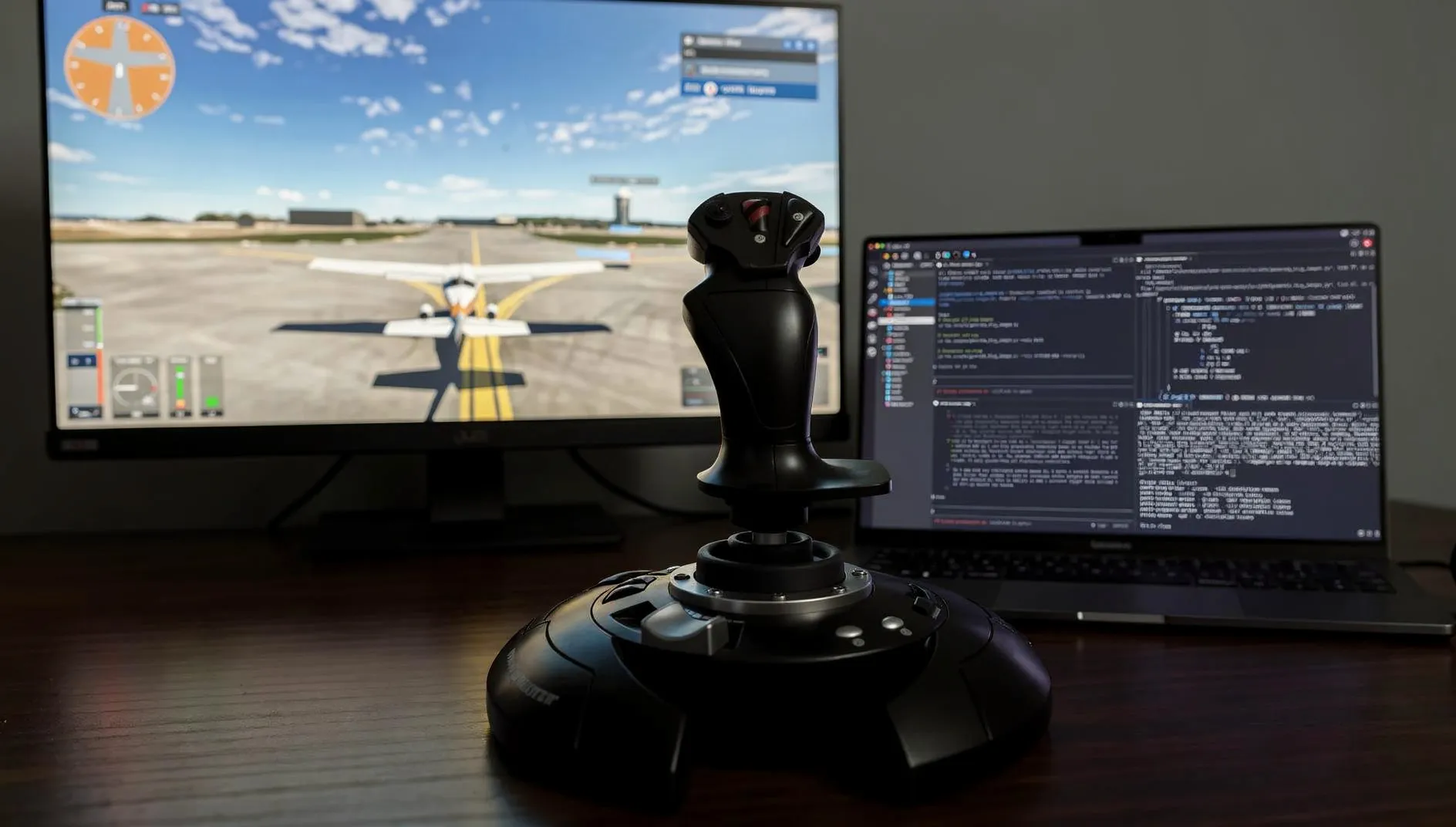
I had never written a single line of macOS native code. I didn't know Swift, C++, or anything about kernel-level programming. Two days later, I had a working driver.
I'm Leo, a software engineer and CTO at Pento AI, where I build AI/ML products. My daily work is web apps, APIs, and machine learning — not drivers, not kernel code, not anything close to what you're about to read.
There are moments in my life where experimenting with technology made me feel something in my guts. I was six or seven when I turned on a small electric engine by hooking some batteries with wires I found lying around the house. I was fourteen when I created one of my first videogames. I was twenty-one when I wired up brushless motors to a Raspberry Pi and got a quadcopter off the ground using Python for the first time.
It had been a long time since I felt that kind of joy building something for myself.
One of my brothers-in-law lent me a Thrustmaster T-Flight Stick X. I had already tried Microsoft Flight Simulator 2024 with a game controller through GeForce NOW (NVIDIA's cloud gaming service that streams games from powerful remote GPUs to your browser or app, so you can play graphically demanding titles on modest hardware), but the experience was clunky at best. A proper flight stick felt like the right next step. One problem: GeForce NOW recently started supporting some HOTAS setups, but not every stick makes the cut. The T-Flight registers as a generic HID (Human Interface Device) joystick, not a gamepad. macOS sees it just fine, but GeForce NOW ignores it entirely.
So I did what any reasonable person would do. I spent a weekend building a macOS driver from scratch to make my operating system believe an Xbox controller was plugged in, when in reality it was a borrowed flight stick pulling the strings behind the scenes.
To put the scale of this in perspective: learning DriverKit from scratch without AI would have taken me weeks to months of reading documentation, studying open-source projects, and trial and error across three unfamiliar languages. Without Claude Code, I probably wouldn't have attempted it at all. The ramp-up cost would have killed the motivation before the weekend was over. But I had a battle-tested Claude Code setup in my terminal, and in 2026 that changes the math on what one person can attempt over a weekend. This is the story of how it went.
There's a broader signal here too. If a developer with zero hardcore systems programming experience can ship a working kernel extension in a weekend using AI tools, the barrier between 'I have an idea' and 'I built it' is collapsing faster than most people realize. This isn't just about drivers or gaming, it's about what becomes possible when the ramp-up cost for any unfamiliar domain approaches zero.
The Problem
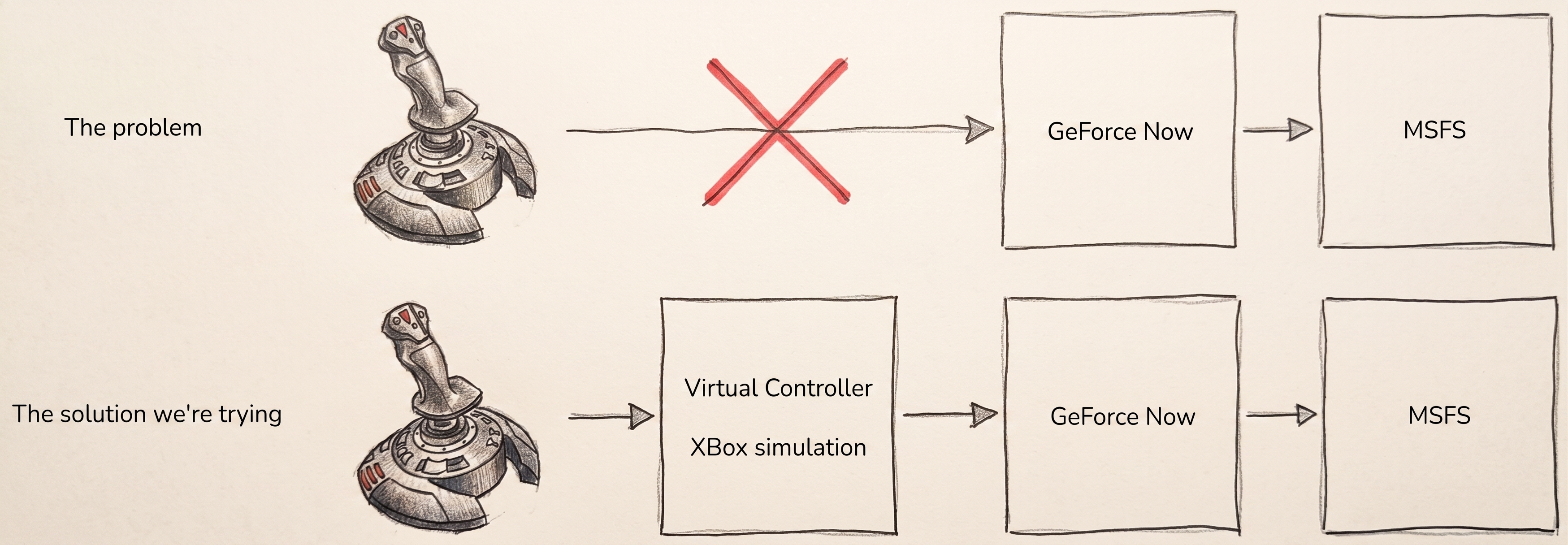
The setup sounds simple: a USB flight stick, a cloud gaming service, and a game that supports controllers. But GeForce NOW only forwards devices it recognizes as standard gamepads. The T-Flight Stick X shows up as a generic HID joystick, so macOS accepts it while GeForce NOW shrugs.
On Windows, you'd reach for an existing virtual controller tool. On macOS, there wasn't an obvious option. The path forward was to create a virtual Xbox controller that macOS and GeForce NOW would accept, then feed it the flight stick's inputs in real time.
In other words: trick my own operating system.
Building the Missing Piece
I had never built a driver before, and DriverKit is not a beginner-friendly place to start. Apple gives you headers and fragments, not the kind of guide that says: "here's how to create a virtual HID device that looks like an Xbox controller."
So I leaned heavily on AI for the parts that normally kill projects like this before they begin: scaffolding unfamiliar code, navigating docs, and shortening the loop between "I don't know this framework" and "I can test a real hypothesis." Claude Code helped me generate and iterate on Swift, C++, and DriverKit code; Gemini Deep Research helped me find the right references; open-source projects like Karabiner showed me what "working" was supposed to look like.
The basic pipeline ended up being:
T-Flight Stick X (USB)
  → Swift app (reads HID input)
    → localhost packet
      → small C++ daemon
        → DriverKit extension
          → macOS Game Controller framework
            → GeForce NOW
That architecture sounds complicated because it was. But the shape of the problem was simple: read the stick, transform its input into an Xbox-style report, and make macOS believe the virtual controller is real.
I'll write a separate technical deep dive with the full DriverKit signing flow, HID descriptor details, and the exact gotchas I hit. The short version is: most of the difficulty wasn't gamepad logic. It was convincing macOS to let the thing exist.
The Weekend in Four Breakthroughs
1. Reading the stick was the easy part
The first win came quickly. Using Apple's HID APIs in Swift, I got a tiny app to read the T-Flight's axes, buttons, twist, throttle, and hat switch in real time.
That gave me something invaluable for the rest of the project: a raw debug view. Every axis value. Every button bit. Every hat position. Later, when mappings looked wrong or inputs vanished, that panel became the ground truth.
Let's not overlook the fact that I gave the problem description to Claude, with the proper research, and my nice development harness and everything, but a few prompts away from the start, I got a working MacOS application reading my HOTAS ans showing live results on the screen. This video isn't the original screen, but it's like 90% of it.
2. Making the virtual controller appear was the real boss fight
This was the part that chewed through most of the weekend.
The first problem was signing. DriverKit extensions live in one of those Apple ecosystems where a build can look correct, codesign can say everything is fine, and the system can still refuse to load it. I spent a lot of time bouncing between Xcode, Console.app, and recovery mode trying to understand why macOS rejected a driver that looked perfectly valid on disk. This is the worst macOS development hell I have experienced, something that can be alleviated by buying the Apple Developer Program, but I chose not to.
The second problem was architecture. My first implementation used a single DriverKit class, and it simply never worked. The breakthrough came when the AI loop read working source code from Karabiner, and realized the correct pattern was a two-class design: a parent IOService that anchors the extension, and a child IOUserHIDDevice that represents the virtual controller.
The third problem was platform-specific weirdness. On Apple Silicon, DriverKit wanted arm64e, not plain arm64. Again: not the kind of thing that jumps out at you from a friendly tutorial, because there isn't a friendly tutorial. Do I know the difference between these two things? Nope, but here's Claude's explanation about the situation:
Chat transcript — me / claudeclick to expand
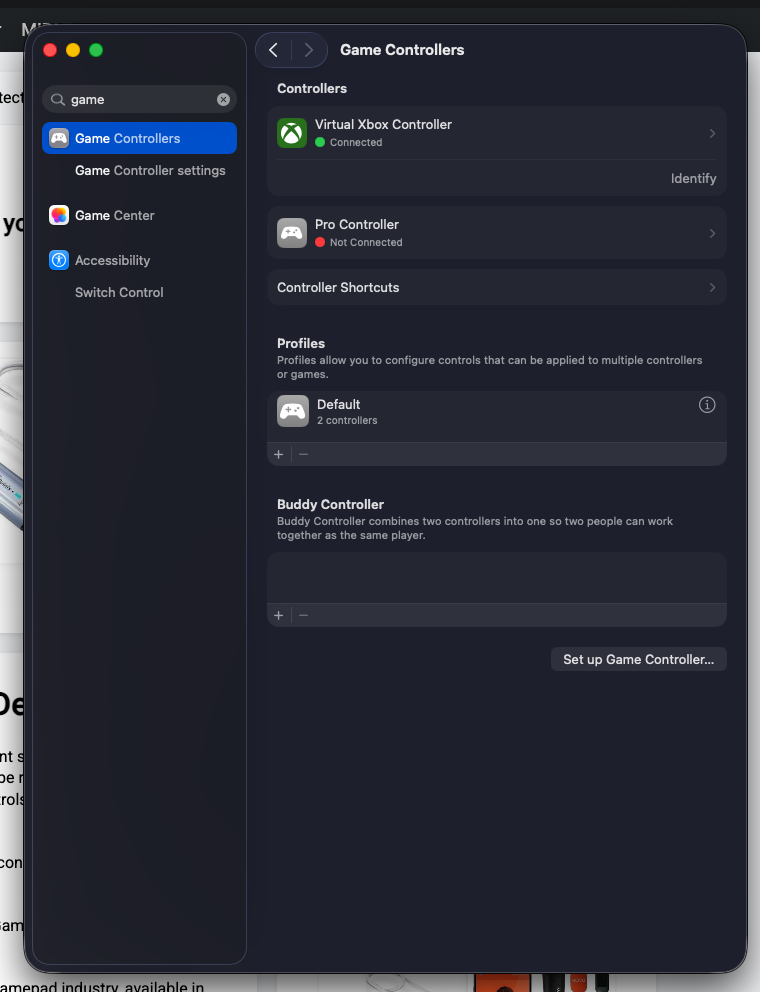
Once those pieces were in place, I opened macOS Game Controllers settings and saw my device listed for the first time: GamePad-1.
That was the moment the whole thing became real.
3. End-to-end input worked only after fixing three tiny, brutal bugs
Getting a virtual controller to show up is one milestone. Getting real input to flow through it is another.
What finally unblocked the pipeline were three bugs that each looked small and each cost far too much time:
- IOKit matched the wrong service.
- The daemon was missing one of the entitlements it needed to talk to the driver.
- A struct crossing the daemon/driver boundary was off by one byte because of padding.
That last one was especially painful. The data was logically correct, visually correct, and still rejected because one side thought the packet was 14 bytes and the other thought it was 13.
After fixing those, I opened a browser gamepad tester, moved the stick, and watched the virtual Xbox controller respond live. Axes moved. Buttons lit up. The pipeline was alive.
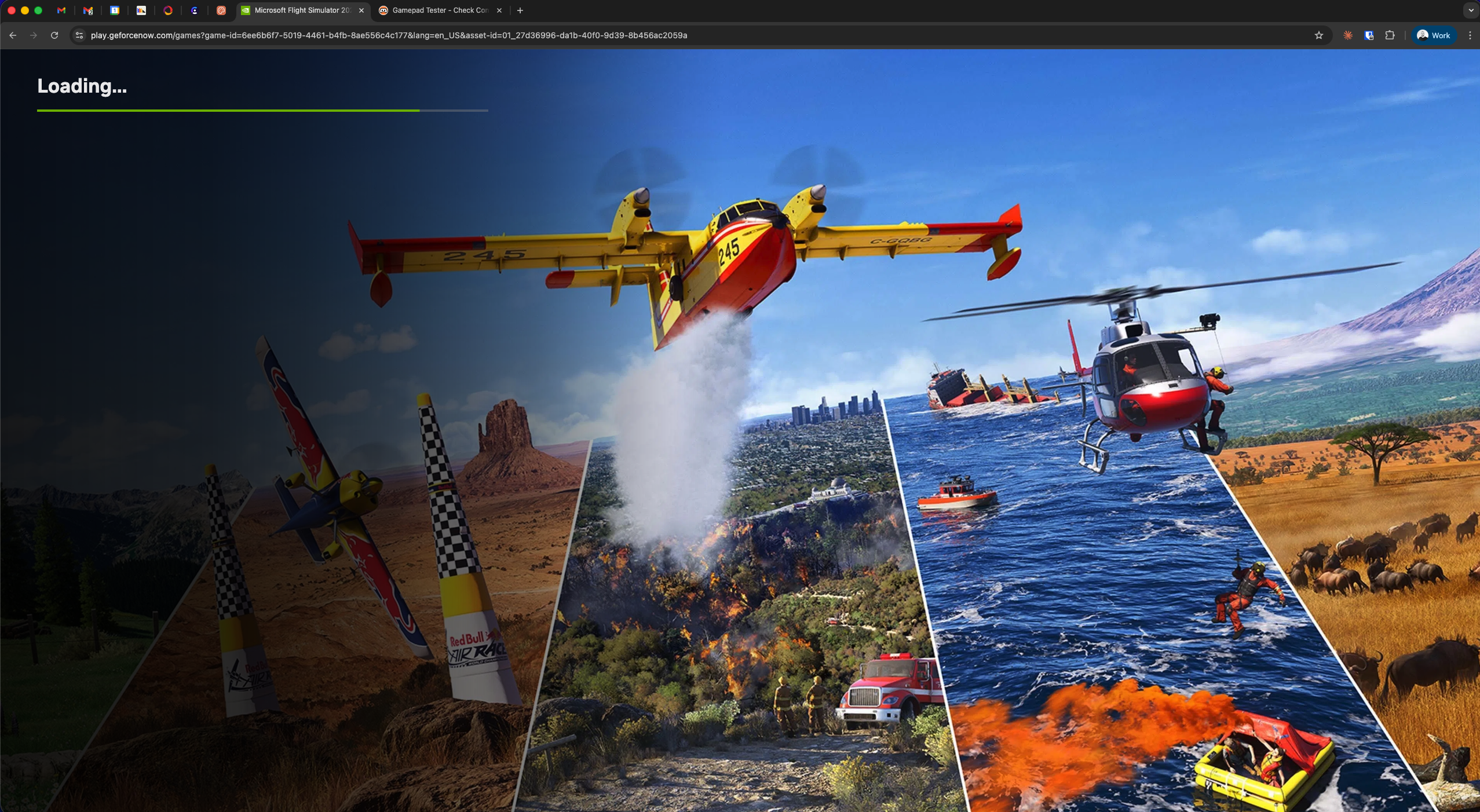
4. The native GeForce NOW app failed. Chrome worked immediately.
This was the emotional rollercoaster moment.
The controller appeared in macOS. Browser testers saw it. Everything looked healthy. Then I opened the native GeForce NOW app, launched the game, and got nothing.
So I tried Chrome right away...
No I didn't, it took me a whole week until the next weekend! So after chatting with Claude about potential issues, one of the hypothesis was that GeForce Now application in macOS was doing some protection checks on the local "unidentified" controller.
So then I tried GeForce Now on the browser. It worked on the first real test. I was really happy. This was the "I don't like coding, I like code that works" moment I was looking for.
The likely explanation is that the web client uses the browser's Gamepad API and trusts what macOS exposes through GCController, while the native app seems to apply extra validation beyond "is there a controller here?" Whatever those checks are, my virtual device passed the browser path and failed the native one.
That was enough. Microsoft Flight Simulator 2024 was running on a remote GPU, inside a browser, controlled by a borrowed flight stick through a driver I had built that weekend.
The Pivot That Made the Project Usable
Halfway through, I realized I had built the right system in the wrong way.
At first, input logic was spread across the app, the daemon, and the driver. That meant every small mapping change could trigger a miserable loop: rebuild the extension, reinstall it, re-sign it, sometimes reboot, and then test again.
So I moved all mapping logic into the Swift app.
The app now reads the flight stick and builds the exact 9-byte HID report the virtual Xbox controller expects. The daemon just forwards bytes. The driver just passes them through.
Before: App (semantic input) → Daemon (converts) → Driver (builds report)
After:  App (builds final report) → Daemon (forwards) → Driver (passes through)
That change didn't make the project more elegant. It made it buildable. Rebuilds went from minutes and occasional reboots to a few seconds.
It also reminded me of a broader engineering principle: put logic where iteration is cheapest. When you're working in an unfamiliar stack with weak documentation, feedback loop speed matters more than architectural purity.
What I Learned
1. AI dramatically changes the ramp-up cost, not the need for judgment. Claude Code let me move through Swift, C++, IOKit, and DriverKit at a speed that would have been impossible for me a few years ago. But it also confidently suggested dead ends. The value wasn't "AI built it for me." The value was that AI made the unknown navigable enough for me to keep momentum.
2. The hardest part of systems work is often everything around the code. Signing, entitlements, system security, obscure runtime requirements, reinstall cycles — those dominated the weekend more than actual gamepad mapping did.
3. Open source was more useful than official docs. When documentation is thin, working code becomes the documentation. I think there's still a gap for deep-research tools to navigate GitHub better and give you more examples of how technology is being used.
4. Fast feedback loops are a force multiplier. The architectural pivot mattered because it let me test more ideas per hour. That's often the whole game.
5. The line between "I don't know how to do this" and "I can probably ship this" feels much thinner now. That's the part of this project I keep thinking about. Not the joystick. The shrinking distance between curiosity and execution.
The Plane Flies
The borrowed T-Flight Stick X still sits on my desk, plugged into my MacBook. When I open GeForce NOW in Chrome and launch Microsoft Flight Simulator, it just works. The virtual controller appears. The buttons map. The plane flies *.
What I really got from the weekend, though, was not a driver. It was a refreshed sense of possibility.
I'd spent years putting certain categories of projects into a mental box labeled "interesting, but not for me now." Native macOS work. Driver development. Anything that seemed to require too much context before the first meaningful result. This project cracked that box open.
What made it possible wasn't just AI. It was caring enough about a specific problem to keep going, having enough engineering intuition to recognize when a path was fundamentally wrong, and having tools that compressed weeks of unfamiliar setup into hours of guided experimentation.
That combination feels new. Sometimes the only tool that does what you need is the one you build yourself. And sometimes the best part of building it is remembering why you started building things in the first place.
The project code is on GitHub. There are several technical details I avoided mentioning for the sake of readability (if any). There are some hardcore/dangerous stuff I had to do to make this running in macOS
Some next steps
- Should I buy the Developer Program and sign this? Maybe some kind soul could give it a shot
- Make this solution somewhat generic? Also, could this work on Linux or Windows if we properly implement the native apps and drivers?
- There are some annoying flickering effects probably because of the bad quality of my Flight Stick, which some rolling window averaging could soften this problem.